Hire a Developer vs AI Tools: Which Should You Choose?

Quick answer: Hire a developer vs AI tools is the wrong binary. Hire a developer for architecture, security, and the product customers pay for. Use an AI platform like Vision (vson.ai) for internal tools, admin panels, and site iteration on the codebase you already have. Engineers can keep Cursor for product work. Vision is not an IDE replacement. It stops you from spending that engineer on ticket work a founder or ops lead can describe in plain English.
What is the real difference between hiring a developer and using AI tools?
A developer designs systems, reviews risk, and owns hard technical decisions. AI tools generate and edit software from a prompt.
The failure mode is using one for the other's job:
- Hiring a developer, then filling their calendar with "move this button" and "add a CSV export"
- Buying a greenfield AI builder, then discovering it cannot touch your production repo
Vision sits in the middle: nontechnical people describe the change, Vision writes reviewable code in GitHub, engineers can inspect it, and production only updates after preview and explicit promote.
Every tool is good at prompt #1. Vision is built for prompt #500, when the change has to fit your stack, pass tests, and still work after six months of edits. The first Build can be slower than a demo app because it builds real structure. That is the tradeoff you want.
When should you hire a developer?
Hire (or keep) a developer when the work is:
- Core product features and data model changes
- Auth, payments, and security-sensitive flows
- Performance, infrastructure, and incident response
- Technical direction a model should not own
That person should not be your internal agency. If they are the only one allowed to ship a report or a HubSpot-synced Kanban, you have a bottleneck, not a strategy.
A clean split many teams use: Cursor for engineers on product, Vision for everyone else on the same GitHub repo. Do not ask Vision to replace your IDE. Ask it to clear the ops queue so your IDE stays on the roadmap.
When should you use AI tools instead?
Use AI tools when the requester already knows the outcome and the change lives in software you already run:
- Internal admin panels and ops dashboards
- Support tools that reduce tickets to engineering
- Reports pulled from production data
- Iterative UI copy, layout, and workflow tweaks
Name the tools, not a laundry list. Two examples that should never wait for a hire:
- Fireflies or Fathom → tasks. After a customer call, turn the transcript into a checklist of follow-ups inside your product, not a Notion page nobody opens.
- Calendly bookings dashboard. Show today's booked demos, no-shows, and reschedules next to the CRM record, so sales does not live in three tabs.
GitHub's research found developers completed tasks 55% faster with AI assistance. Vision extends that leverage to people who never wrote code, with a production path those developers can still govern. See how Vision works for teams.
How do hire-a-developer and AI-tool options compare?
| Path | Best for | Time to first change | Risk if misused | Typical cost |
|---|---|---|---|---|
| Hire a full-time developer | Core product | Weeks to onboard | Using them as a ticket queue | Salary plus benefits |
| Hire a freelancer | A scoped project | Days to weeks | Ongoing edits restart the SOW | Hourly or project |
| Greenfield AI builder (Lovable, Bolt) | New apps with no repo | Hours | Shadow apps, copied data | Low monthly, high rebuild cost later |
| Cursor (for engineers) | Product work in an IDE | Minutes for a skilled engineer | Nontechnical teammates cannot drive it | Seat for the engineer |
| Vision | Internal tools on an existing GitHub repo | Minutes to a Playground mock, then Build | Skipping review on sensitive changes | Team $49 / user / month (see pricing) |
What happens when teams pick only one side?
Developer only. One engineer and four nontechnical teammates is a common setup. If that engineer is the gate, the company ships at the speed of their ticket list. Vision's origin bet was the opposite: put guardrails in first, then let nontechnical people ship. An engineer on that team had said nontechnical people should never touch the codebase. After the experiment, that engineer said those teammates produced more value than expected. Engineering's job shifted from closing every ticket to designing a system that is safe for everyone else to build. Nontechnical people were never less capable. They were locked out.
AI tools only, on a blank project. You get a demo. You do not get your production conventions, your database, or your CTO's review process. That is why "hire a developer vs ChatGPT" articles miss the point. The useful comparison is hire a developer vs an AI tool that can edit the repo the developer already owns.
What does a real "operating system" ticket look like?
A client-facing Kanban view synced to HubSpot deal stages had been scoped as a three-month roadmap item. Vision produced a working first pass on a live call. That is not a reason to fire your developer. It is a reason not to put that ticket on their board.
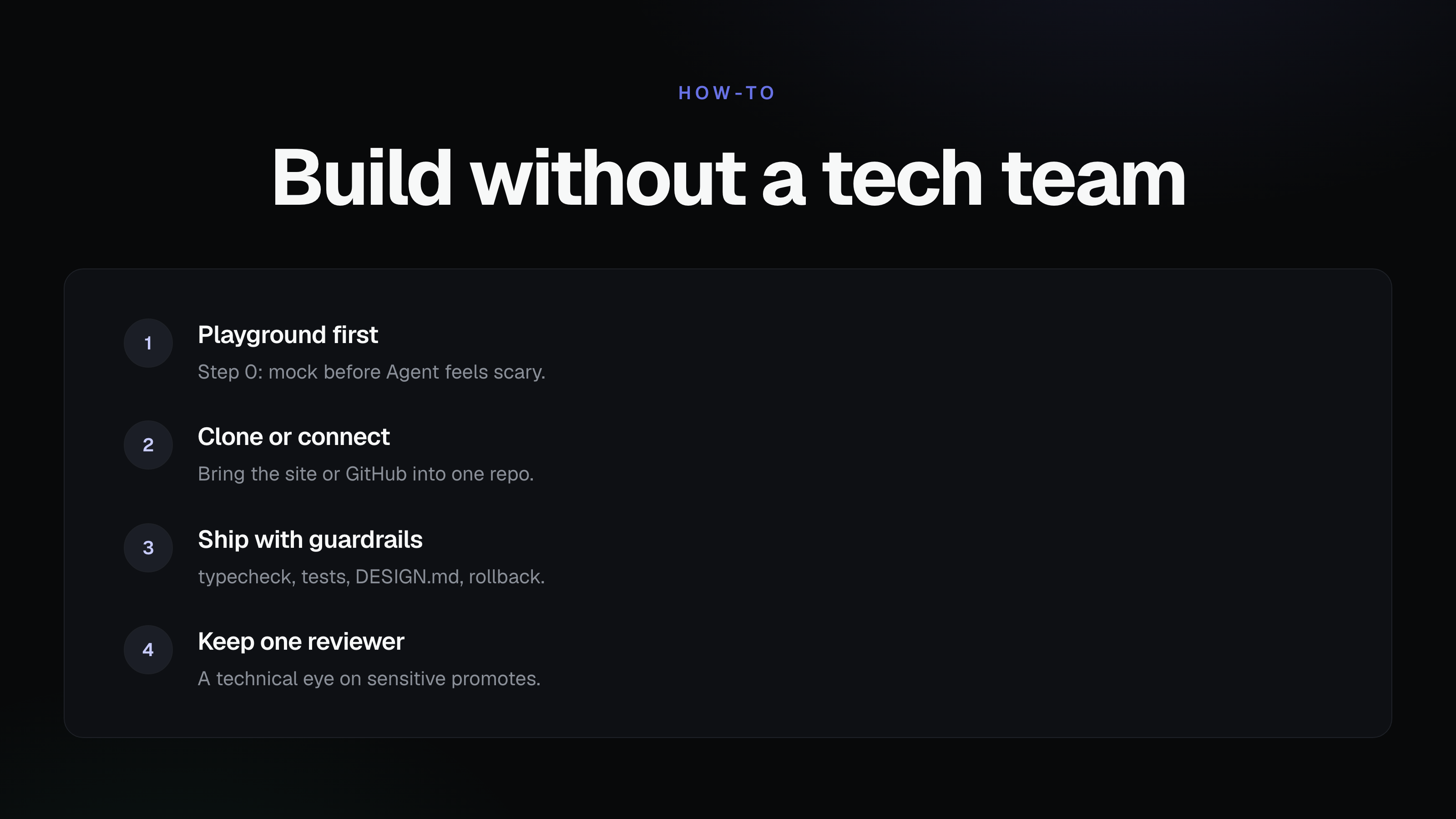
Before you bother engineering, open Vision, switch Agent to Playground, and mock the board. Prompt something like "make a few mocks of this Kanban with HubSpot stages on the columns." Iterate until sales agrees. Click Build so the chosen mock becomes reviewable code on GitHub. Then the engineer reviews the diff, not a Figma thread.
Guardrails are tests, not vibes: typecheck, unit tests for new functions, reuse of existing code, DESIGN.md consistency, preview, explicit promote, one-click rollback. That is what makes "ops shipped it" acceptable to a CTO.
How should you decide this week?
Ask one question: is this change the product, or is it the operating system around the product?
- Product: hire or assign a developer (often with Cursor).
- Operating system (tools, reports, site edits, integrations): try Vision in Playground first.
If your CTO's objection is "they will break prod," that is the right objection for unguarded tools. It is the problem Vision is built to solve. Read the CTO overview.
When is Vision not the answer?
Skip Vision (and hire or keep a developer) when the work is novel infrastructure, unreviewed billing changes, or a brand-new consumer product with no repo and no clear owner of architecture. Greenfield demo tools can help you sketch. They do not replace a technical cofounder for deep product bets.
What else do people ask about hiring developers vs AI?
Should a small business hire a developer or use AI tools?
If you have no product yet, a developer or a greenfield builder can get you to v1. If you already have a codebase, do not hire a developer just to build internal tools. Use Vision so nontechnical teammates can ship those tools as reviewable code.
Can AI tools replace a junior developer?
They can replace a lot of junior ticket work on internal tools. They should not own architecture. Keep a developer in the review loop, especially for payments, permissions, and data writes.
Are AI coding tools safe for nontechnical people?
They are safe when the path to production is gated. Vision isolates changes in preview, requires an explicit promote, and rolls back in one click. Ungated paste-into-prod workflows are not safe.
How much does Vision cost if we keep our developer?
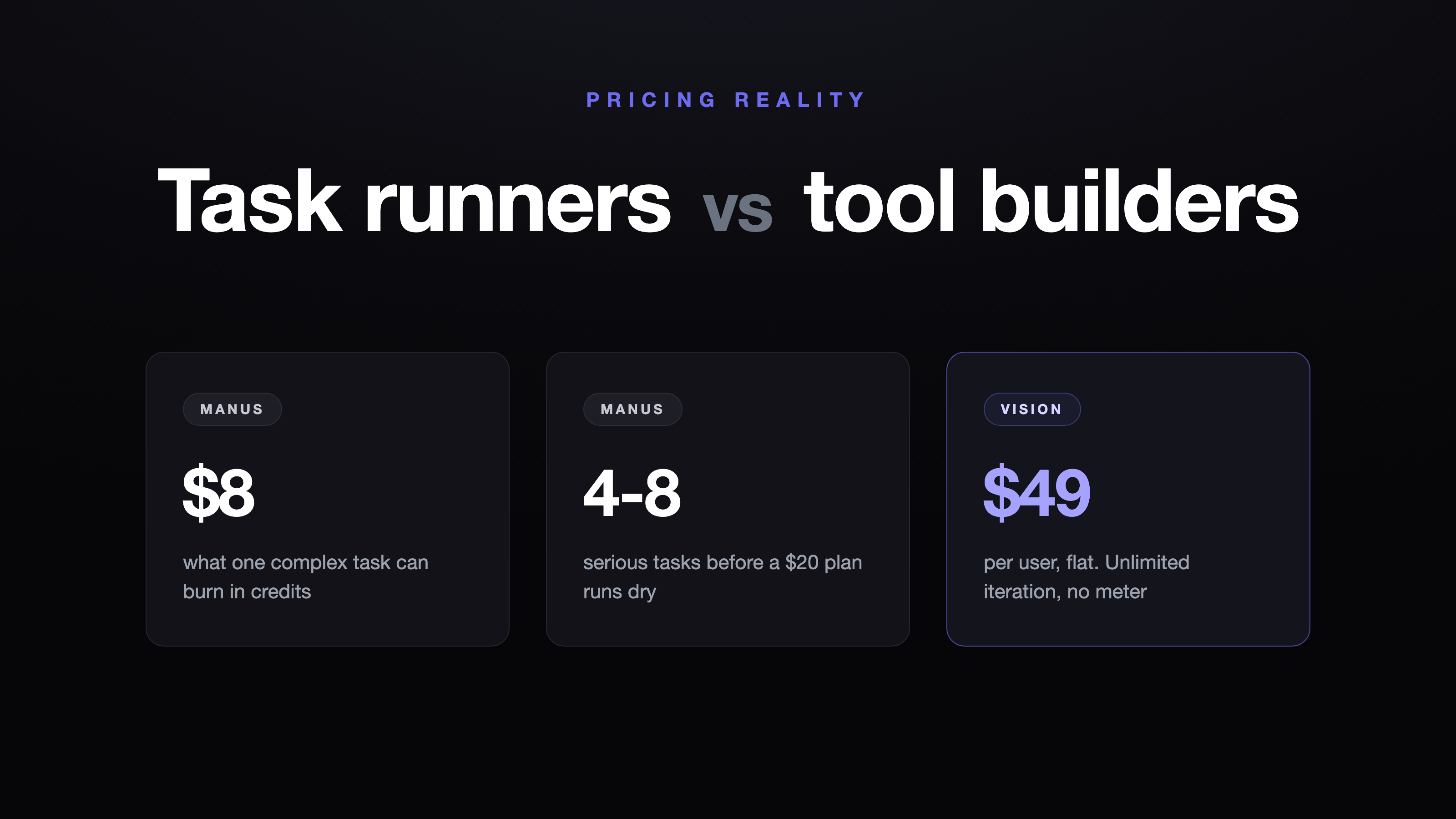
Vision Team is $49 per user per month (Starter $0; Enterprise custom; yearly billing saves 20%). Keep the developer on product. Put ops and marketing on Vision seats. Plans: pricing.
Ready to stop using your developer as a ticket queue?
Keep engineers on the product (with Cursor if they want it). Let ops and marketing ship the rest on the same GitHub repo, starting in Playground, with a production path you can audit.
Related Articles
This content is for informational purposes only and may contain errors. Please contact us to verify important details.