Health and wellness apps reached 3.6 billion downloads worldwide in 2024. That level of demand changes the decision from "is there a market?" to "can your team ship a product that keeps working after launch?"
The risk is rarely the first release. It shows up six months later, when workout logic has grown messy, support is handling edge cases no one documented, marketing wants to test new offers, and every small product change depends on engineering capacity. Fitness apps live or die on repeat use, clean data, and fast iteration across more than one team.
That is the gap in a lot of advice on how to develop a fitness app. Developer-focused guides usually cover features, frameworks, and launch steps. They spend less time on the operating model that keeps the product usable as it grows.
A fitness app lasts longer when product, engineering, operations, support, and growth teams can each make safe changes inside clear boundaries. That means tighter MVP decisions, cleaner architecture, stricter handling of health data, and workflows that let non-technical stakeholders contribute without piling up technical debt.
Table of Contents

- The Fitness App Boom and Your Opportunity
- Laying the Foundation Your MVP Features and UX
- Choosing Your Technical Architecture and Stack
- Navigating Data Compliance and Integrations
- Building and Testing Your Fitness App
- Launch Monetization and Growth Strategies
- The Modern Workflow Accelerating Iteration with Nontechnical Teams
The Fitness App Boom and Your Opportunity
User demand for fitness apps is established. The harder question is whether your team can turn that demand into a product that improves week after week without creating a maintenance mess.
That is where many teams misjudge the market. They assume the gap is a fresh workout format, a prettier UI, or one more AI feature. In practice, strong products usually win because they operate better. They learn from support tickets, failed syncs, churn signals, coach feedback, and onboarding drop-off, then turn those signals into product changes quickly and safely.
Fitness apps put pressure on more than engineering. Product needs to test assumptions fast. Operations needs clean processes for subscriptions, refunds, and content changes. Support needs visibility into what broke for the user and what to do next. If those teams have no safe way to contribute, every small improvement waits in the engineering queue, and the app gets slower as the business gets busier.
I have seen this pattern repeatedly. Version one ships on time, early users arrive, and the backlog fills with issues that are not purely technical. A trainer wants to adjust a program template. Support wants a clearer failure state for wearable sync. Product wants to revise onboarding questions after seeing where users drop. None of those requests should require risky workarounds or a full sprint every time.
The primary opportunity is better operations
A fitness app grows through fast, controlled learning. Teams that treat product, ops, and support as part of the delivery system usually adapt faster than teams that treat engineering as the only group allowed to change the user experience.
That matters because user behavior in fitness changes quickly. A habit-building flow that looks good in planning can fail in real usage. A recovery feature may confuse beginners. A coaching dashboard can create extra support load if it exposes the wrong information first. The teams closest to those problems often spot them before engineers do.
Practical rule: If every minor product change starts with a ticket and waits for a dev cycle, your users will expose gaps faster than your roadmap can close them.
Where teams usually go wrong
I see two failure modes often.
The first is overbuilding. Teams launch workout logging, meal tracking, messaging, challenges, social features, coach tools, and wearable sync in the same release. The app feels busy, but the core promise is weak, and users do not get a clear reason to return.
The second is under-operating. The product is decent, but only engineers can change anything meaningful. Product managers start tracking exceptions in spreadsheets. Support creates manual workarounds. Ops manages content and edge cases outside the system. That slows response times for users and adds avoidable technical debt inside the company.
A stronger approach looks like this:
- Keep the first problem narrow: Solve one user pain point well enough that retention means something.
- Plan for live learning: Expect the first release to reveal missing steps, confusing flows, and edge cases.
- Share product ownership: Give non-technical teams governed ways to update content, workflows, and operational logic.
- Protect engineering capacity: Reserve code changes for work that requires code, then keep those changes reviewable and testable.
Teams that succeed in this category do not behave like launch teams for long. They run like operating companies from the start.
Laying the Foundation Your MVP Features and UX
Most failed fitness apps don't fail because the code was bad. They fail because the product team tried to prove five ideas at once. A useful MVP proves one thing clearly.

Start with one user problem
A strong MVP begins with a narrow promise. Not “help people get fit.” Something more specific, like “make strength training easy to log and review for busy beginners” or “help remote coaches keep clients consistent between sessions.”
That promise drives feature selection. If you're building a workout logging app, your MVP probably needs:
- User onboarding: Enough to understand goals, fitness level, and preferred training style.
- Workout logging: Fast entry, clear exercise structure, and low-friction completion.
- Progress tracking: Simple views of completed sessions and consistency over time.
- Basic analytics: Enough context to show users whether they're moving forward.
Everything else is optional until users prove otherwise.
According to OpenArc's fitness app MVP guide, well-built fitness apps can achieve retention above 50% and conversion rates around 28% by focusing on a core set of MVP features, while many apps lose users in the first month because of feature creep, poor onboarding, or confusing interfaces.
Design for repeated use, not first impressions
Fitness UX is about habit support. A beautiful home screen won't save an app that makes users tap through six screens to record a completed set.
A few design choices matter more than teams expect:
| UX area | What works | What usually fails |
|---|---|---|
| Onboarding | Asking only for information needed to personalize the first session | Long forms that feel like intake paperwork |
| Workout logging | Large tap targets, recent exercise memory, simple edits | Dense tables and hidden actions |
| Progress views | Clear streaks, completed sessions, visible trends | Overloaded dashboards with too many metrics |
| Motivation | Small wins, timely reminders, useful feedback | Generic badges and noisy notifications |
Build the happy path first. A user should understand the app, start a session, finish it, and see progress without needing a tutorial.
Later in the process, video can help align teams around flow and expectations. This walkthrough is useful for seeing how product thinking and execution connect in a real build sequence:
Validate before you scale scope
Teams often confuse prototyping with certainty. A Figma prototype can tell you whether users understand the flow. It can't tell you whether they'll return next week.
Use early validation methods that produce behavior, not just opinions:
- Prototype the core journey: Onboard, log one workout, review progress.
- Run usability sessions: Watch where users hesitate, backtrack, or ask basic questions.
- Release to a small beta group: Look for repeated usage, not compliments.
- Review support friction: Questions from testers usually reveal missing context in the product.
The best MVP feature is the one that removes a user's next excuse not to come back tomorrow.
One more operational point matters here. Product and support teams should help shape MVP scope. Support knows where users get confused. Ops knows what manual work the app should eliminate. If engineering defines the MVP in isolation, the app usually launches with clean code and avoidable friction.
When you develop a fitness app, UX isn't decoration. It's the retention system.
Choosing Your Technical Architecture and Stack
The wrong architecture doesn't always break at launch. It usually breaks after you add wearables, notifications, analytics, coach workflows, and a few thousand edge cases you didn't expect. That's why stack decisions should follow product shape, not hype.
Monolith first or services first
Most fitness apps should start with a well-structured monolith. It's easier to build, easier to debug, and easier to deploy when the product is still changing weekly. One codebase, one release process, one operational surface.
Microservices make sense later, but only when you have clear boundaries and real pressure points. For example, wearable ingestion, media processing, recommendations, and billing may eventually deserve separate services because they scale differently and fail differently. Early on, splitting too soon creates more coordination overhead than product value.
A practical way to decide:
- Choose a monolith if your team is small, your MVP is still shifting, and your release speed matters more than theoretical scalability.
- Split into services if one subsystem has distinct scaling, security, or deployment needs that keep hurting the rest of the app.
- Avoid architecture theatre if the team is discussing Kubernetes before it has validated the user journey.
Data shape matters more than trendiness
Fitness apps generate event-heavy data. Workouts, completed sets, heart-rate samples, sleep logs, steps, sync timestamps, streaks, and reminders all create a pattern that's different from a basic CRUD app.
That's why backend planning matters early. ScienceSoft's fitness app development guidance notes that a key pitfall in fitness app development is underestimating the load from wearable data, and that modern cloud platforms, scalable database architectures for time-series data, and dependable APIs such as REST or GraphQL are critical for app stability and preventing performance bottlenecks.
Typically, that translates into a few grounded choices:
- Separate transactional data from high-volume event data: User accounts and billing don't behave like time-stamped health streams.
- Plan sync logic carefully: Wearables often send delayed, duplicated, or partial records.
- Cache what users open repeatedly: Dashboards and recent activity feeds should feel instant.
- Treat background jobs as first-class citizens: Importing and normalizing external fitness data shouldn't block user-facing requests.
Build for inconsistent data arrival. Wearables don't always report in the order your UI expects.
Pick a stack your team can actually operate
Native iOS and Android apps can be the right move when motion sensors, device-specific integrations, or performance-sensitive experiences sit at the center of the product. Cross-platform frameworks can be the better choice when speed, team efficiency, and shared UI matter more.
There isn't one correct stack. There is only the stack your team can ship and maintain.
Use these criteria:
| Decision area | Good question to ask |
|---|---|
| Mobile client | Does your product depend heavily on device-native features from day one? |
| Backend | Can the team support the framework in production, not just in development? |
| API style | Will your client benefit more from structured REST endpoints or flexible GraphQL queries? |
| Data layer | Do you need optimized handling for time-series logs and sync events? |
| Cloud setup | Can the platform absorb growth without constant manual intervention? |
The best technical choice often looks boring on paper. That's good. Boring systems are easier to observe, test, and evolve.
When teams try to develop a fitness app with a trendy stack that no one on staff can troubleshoot at 2 a.m., they don't get innovation. They get incidents.
Navigating Data Compliance and Integrations
Trust is part of the product in fitness. Users are handing over routines, body data, wellness patterns, and sometimes information they consider highly personal. If the app feels vague about consent or sloppy about access, users notice fast.

Treat consent as a product feature
Too many teams handle privacy like legal boilerplate. That's a mistake. Consent needs to be clear, timed correctly, and tied to user value.
If you want access to workout history, heart rate, sleep data, or step counts, ask at the moment the feature becomes useful. Explain what you collect, why you need it, and what the user gets in return. A generic permissions wall at signup often produces low trust and poor opt-in quality.
For practical product work, divide data into simple buckets:
- Account data: Name, email, login credentials, subscription status.
- Behavioral app data: Sessions, taps, feature usage, preferences.
- Fitness and wellness data: Workouts, measurements, activity logs, wearable sync.
- Operational data: Support notes, internal status flags, coach actions.
Each bucket should have its own access logic, storage rules, and retention thinking.
Integration risk usually hides in edge cases
Connecting Apple Health, Google Fit, Garmin, Fitbit, Strava, payment systems, notification providers, and analytics tools sounds straightforward in roadmap slides. It rarely is in production.
The hard parts usually show up here:
- Duplicate events: The same workout can arrive twice through a retry or reauthorization.
- Conflicting records: A wearable and a manual entry may disagree.
- Permission changes: Users revoke access after onboarding.
- Partial syncs: One data type updates while another lags behind.
- Vendor differences: Platforms expose similar concepts with different naming, timing, and granularity.
That means integrations need observability. Your team should be able to answer basic questions quickly: Did the sync run? What failed? What data was rejected? Was the issue user-side, provider-side, or internal?
Don't promise “automatic sync” unless your support team can actually diagnose when the sync stops being automatic.
A practical compliance checklist
Compliance work varies by product scope, region, and business model, so legal review matters. But product teams still need an operating checklist they can apply day to day.
Use this baseline:
- Minimize collection: If the product doesn't need a field, don't store it.
- Encrypt in transit and at rest: This should be default infrastructure behavior.
- Restrict access by role: Support agents, coaches, and admins shouldn't all see the same things.
- Log sensitive actions: Access, edits, exports, and admin interventions should leave an audit trail.
- Review vendors carefully: Third-party services inherit part of your trust burden.
- Prepare incident response: Know who does what if data is exposed, corrupted, or wrongly shared.
The teams that handle this well don't treat compliance as a release blocker. They treat it as part of product design.
Building and Testing Your Fitness App
A fitness app isn't one product from a testing perspective. It's several products layered together: mobile UI, backend logic, wearable sync, notifications, subscription flows, and internal operational tooling. If quality assurance only starts near launch, defects pile up where they're hardest to unwind.
Why late QA fails fitness products
Traditional handoff models still show up all the time. Product writes requirements. Design hands off screens. Engineering builds for weeks. QA gets a large release candidate and starts filing bugs. That process looks organized, but it hides risk until the most expensive moment.
A better model is continuous verification. Build small. Test continuously. Release in thin slices.
That approach matters more in fitness than in many categories because small bugs damage user trust quickly. A broken streak, missing workout, duplicate calorie count, or delayed sync doesn't feel like a cosmetic issue. To users, it feels like the app failed in its essential role.
What to test before every release
A good test strategy mixes automation with selective human review. You need both.
Use a layered approach:
- Unit tests: Validate calculations, plan logic, permissions, and transformations close to the code.
- Integration tests: Check whether services, APIs, webhooks, and data stores work together.
- End-to-end tests: Simulate critical user flows like signup, subscription, workout completion, and progress review.
- Performance tests: Stress the system around sync jobs, dashboard loads, and notification spikes.
- Compatibility tests: Verify behavior across target devices, operating systems, and screen sizes.
- Security checks: Review access controls, token handling, session behavior, and sensitive data exposure.
A simple release checklist helps keep this disciplined:
| Release area | Question before shipping |
|---|---|
| Core journey | Can a new user onboard and complete the main action without confusion? |
| Data integrity | Do workout, progress, and sync records appear correctly and consistently? |
| Subscription flow | Can users upgrade, renew, and recover from payment issues? |
| Notifications | Are reminders timely, relevant, and deduplicated? |
| Support readiness | Can the team diagnose likely failure modes quickly? |
Ship smaller changes more often. It's easier to isolate one broken sync rule than ten unrelated product changes bundled into a Friday release.
Testing also needs cross-functional involvement. Product should review whether the release still matches intent. Support should preview changes that affect user questions. Ops should confirm admin and dashboard workflows still hold up. Engineers own technical correctness, but they shouldn't be the last and only line of defense.
If you want to develop a fitness app that survives real-world usage, quality has to be built into the delivery rhythm, not inspected in at the end.
Launch Monetization and Growth Strategies
Launching the app is the point where many teams switch from product discipline to wishful thinking. They assume a good product will “find its users.” It usually won't. Distribution and monetization need as much design as the app itself.
According to Saigon Technology's fitness app market analysis, the global fitness app market is projected to grow from 36.7 billion U.S. dollars in 2023 to 134.5 billion dollars by 2032, with AI-driven personalization and wearable device adoption cited as key drivers. A market expanding at that pace rewards teams that can package value clearly and iterate on pricing without confusing users.

Which monetization model fits which product
There isn't a universal best model. The right choice depends on what users believe they're buying.
| Model | Best fit | User mindset | Main risk |
|---|---|---|---|
| Freemium | Habit-forming apps with a broad top of funnel | “I'll try it before I commit” | Giving away the value users would pay for |
| Subscription | Ongoing coaching, adaptive plans, content libraries | “I'm paying for continuity and results” | Churn if value feels repetitive |
| One-time purchase | Narrow utility apps or specialized tools | “I want this solved once” | Revenue ceiling if support and updates continue |
| In-app ads | Large audiences with low willingness to pay | “Free is fine if ads don't interrupt me” | Damaging trust and focus in a health context |
For most fitness products, subscriptions line up best with user expectations because fitness is ongoing. But a hybrid model can work well too. Free workout logging plus paid programming, coaching, analytics, or premium content is a common shape because it lets users feel progress before being asked to pay.
Growth after launch is an operating discipline
A full public release shouldn't be your first real test. Start with a controlled beta, watch behavior closely, and fix confusion before you scale acquisition.
The teams that grow efficiently usually do a few things well:
- Phase releases carefully: Start with a smaller user group and a tight feedback loop.
- Tune app store presentation: Names, screenshots, and descriptions should match the user problem you solve.
- Build referral into the product: People share tools that improve routines, not just apps with discount codes.
- Use content to educate: Training tips, habit content, and user education often lower support load while improving activation.
- Create a reason to return: Challenges, plan updates, and progress visibility matter more than launch-day buzz.
Growth teams also need to work closely with product and support. If acquisition messaging promises “effortless personalized coaching” but onboarding feels generic, paid traffic won't save you. If users hit a pricing wall before they understand the benefit, monetization won't scale.
When you develop a fitness app, your growth model should feel like a continuation of the product experience, not a separate layer pasted on later.
The Modern Workflow Accelerating Iteration with Nontechnical Teams
Most advice on how to develop a fitness app assumes a single owner, usually a founder or developer. Real companies don't work that way. Product managers shape experiments. Operations teams handle onboarding flows and back-office logic. Support teams need dashboards and account tools. Engineering owns architecture and code quality, but it can't be the only function allowed to improve the system.
The Apps on Demand's guide to building a fitness app gets at a problem most guides miss: coordinating between non-technical and engineering teams is a critical challenge, and AI-driven coaching and adaptive plans increase the need for product and ops teams to rapidly experiment with logic and UI in ways traditional development models don't support well.

Why engineering-only iteration slows down fitness apps
Fitness products change in small but important ways. Support spots a confusing cancellation flow. Ops needs a better coach dashboard. Product wants to adjust onboarding questions for a new user segment. None of these changes should require a weeks-long queue if the risk is low and the workflow is governed.
The old alternatives are both bad:
- Engineering becomes a bottleneck for every small operational change.
- Non-technical teams adopt disconnected no-code tools that drift away from the main codebase.
The first slows learning. The second creates shadow systems, inconsistent logic, and rework later.
What governed contribution looks like
A better model gives non-technical teams limited power inside a controlled environment. That means they can contribute to dashboards, internal workflows, content logic, admin surfaces, and selected customer-facing experiences without bypassing review.
In practice, that workflow needs a few safeguards:
- Repository-connected changes: Edits should extend the core codebase, not a disposable side app.
- Live previews: Teams should see what changed before anyone pushes to production.
- Role-based permissions: Not everyone should be able to edit every surface.
- Reviewable output: Engineers should still approve code and architectural impact.
- Safe rollback: If an experiment creates confusion, the team should be able to revert quickly.
The question isn't whether non-technical teams should influence the product. They already do. The real question is whether they do it inside governed systems or around them.
This matters even more as AI features become common. Recommendation rules, onboarding paths, adaptive plans, and intervention prompts all need fast iteration. If every adjustment depends on a full engineering cycle, product learning slows down exactly where competition is moving fastest.
The teams that operate well in this environment treat software delivery as a shared loop. Product frames the change. Ops contributes process knowledge. Support brings user friction to the surface. Engineering reviews, safeguards, and strengthens the system. That's the model that helps a fitness app keep improving after launch without accumulating chaos.
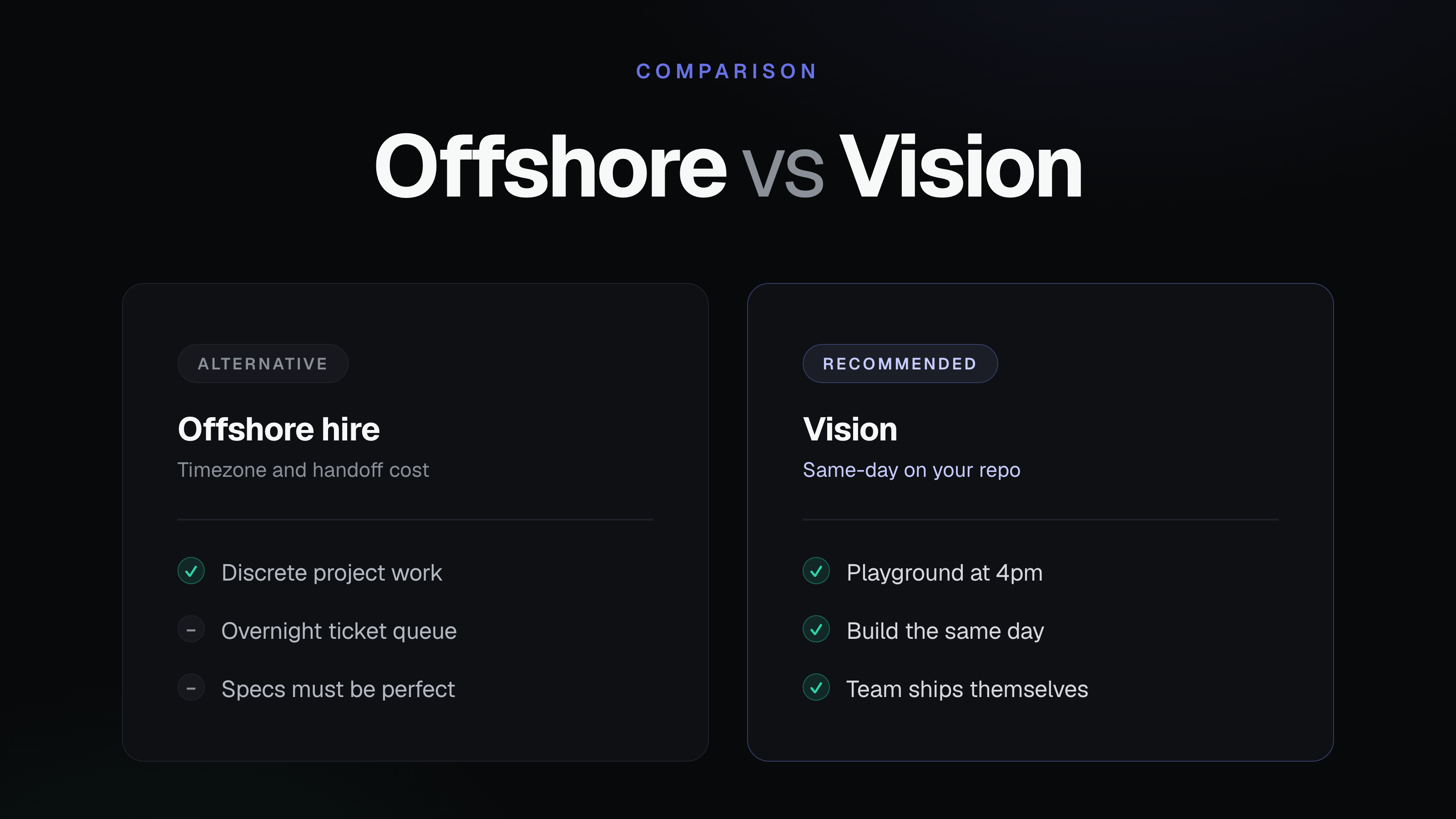
If your team wants that kind of governed collaboration, Vision is built for it. It lets non-technical teams build and evolve internal tools on top of existing codebases with AI-assisted, reviewable code, live previews, scoped permissions, controlled promotion to production, and one-click rollback. Engineers stay in the loop through pull requests and reviews, while product, ops, and support teams can ship useful changes without waiting on backlog cycles.
Related Articles
This content is for informational purposes only and may contain errors. Please contact us to verify important details.